CAD PracticeCATIAPart DesignSurface DesignPhoto StudioRendering
Cold-Drink Can
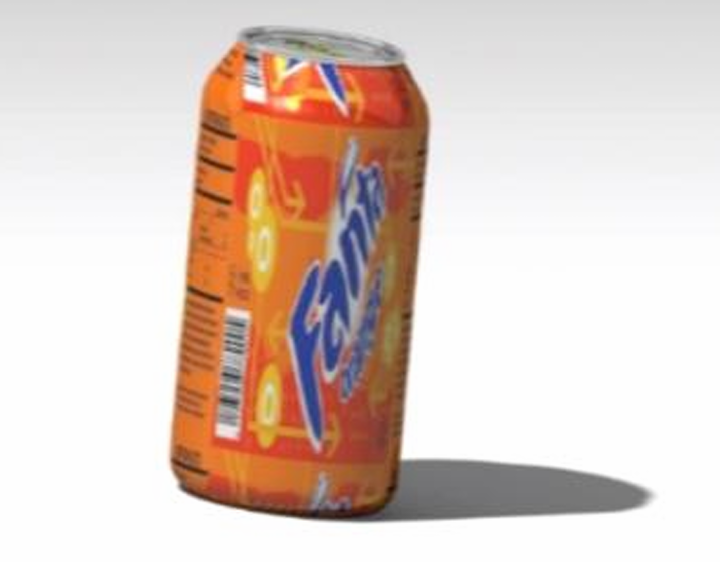
Strengthen Part Design and Surface Design skills in CATIA through a realistic consumer-product modeling exercise.
Recreating a mass-produced object accurately requires clean, continuous surface transitions and careful attention to proportions.
I modeled the can's 3D geometry with accurate features and smooth surface transitions, then used Photo Studio to apply a custom label and generate a photorealistic rendering.
Full can geometry built using CATIA Part Design and Surface Design.
Prioritized surface continuity at the can's shoulder and base transitions to avoid visible faceting in the render.
Aluminum-finish material applied for rendering realism.
Keeping surface transitions smooth enough at the shoulder and base to avoid visible faceting in the final render.
Produced a photorealistic rendered model with a custom-applied label.
Improved surface-continuity technique for consumer product shapes.
A focused exercise in surface quality and presentation — skills that carry over directly into client-facing concept renders.